
Introduction: Why Freelancers Are Leaving QuickBooks in 2026
QuickBooks Online has become the default answer when someone asks “what accounting software should I use?” But defaults are not always correct — and for freelancers, they are often actively harmful. QuickBooks was built for small businesses with employees, payroll obligations, inventory, and multi-department budgets. If you are a solo copywriter, a contract developer, a freelance photographer, or a part-time consultant, you are paying $35–$90/month for an application where you use roughly 15% of the features.
In 2026, the landscape has shifted dramatically. Intuit retired QuickBooks Self-Employed and rolled those users into the new QuickBooks Solopreneur tier — a product that is simpler but still carries a $20/month price tag and lacks basic features like time tracking in its lowest plan. Meanwhile, competitors have gotten faster, cheaper, and purpose-built for the freelance workflow: invoice, track time, get paid, log expenses, prep for taxes. That’s it. No chart of accounts. No journal entries. No 47-tab settings page.
This guide compares the 8 best QuickBooks alternatives for freelancers in 2026 — covering solopreneurs, consultants, designers, writers, developers, coaches, and part-time side-hustlers. We tested each tool on the metrics that actually matter for freelance work: invoicing speed, payment collection, time tracking, client portals, recurring billing, expense management, and tax prep (especially 1099 tracking). If you bill clients for your time or deliverables, one of these tools will save you money and hours every month.
Why Freelancers Switch from QuickBooks
After interviewing dozens of freelancers who migrated away from QuickBooks in the past 18 months, the same five pain points surface repeatedly:
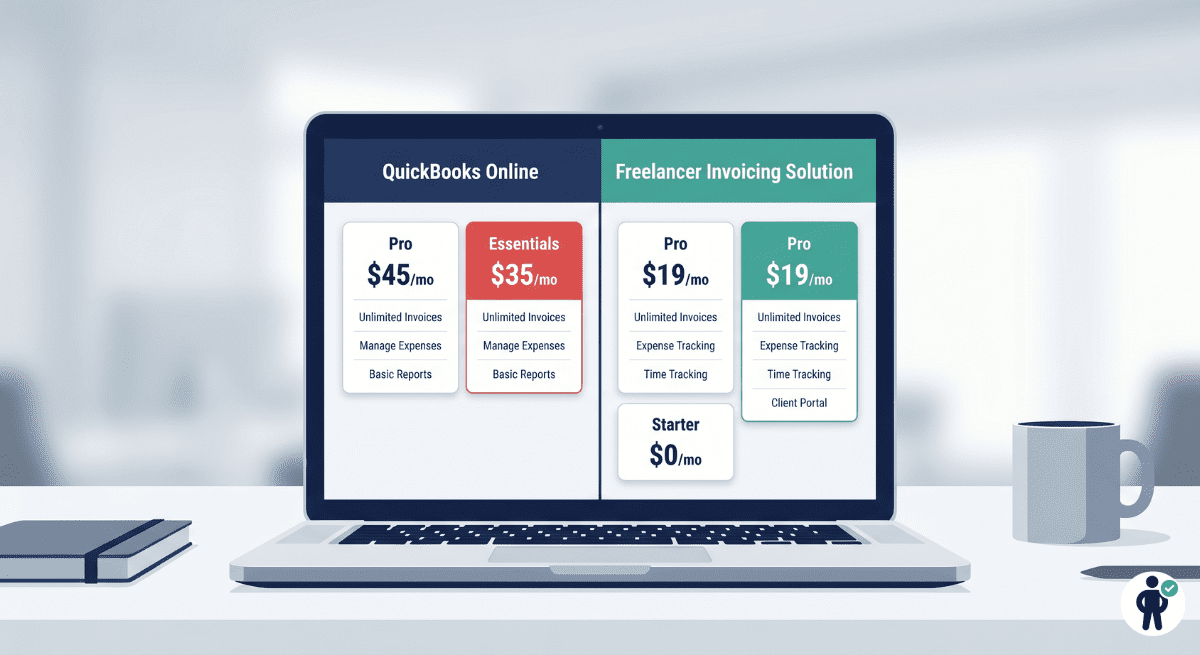
1. Price creep with no freelancer value. QuickBooks Simple Start costs $35/month in 2026 (up from $25 just two years ago). The new Solopreneur tier is $20/month but removes multi-user access and limits reports. For a freelancer sending 5–15 invoices per month, paying $240–$420/year for invoicing software is absurd when dedicated tools cost $0–$180/year and do the same job better.
2. Double-entry accounting that nobody asked for. QuickBooks forces you into a chart of accounts, journal entries, and reconciliation workflows designed for accountants. If you just want to send an invoice, track your hours, and know how much you earned this quarter, the double-entry framework creates friction without adding clarity.
3. Clunky invoicing workflows. Creating a simple invoice in QuickBooks requires navigating through multiple menus, selecting product/service items, and dealing with tax configurations before you can click “send.” Freelancer-focused tools let you create and send a professional invoice in under 90 seconds — often from your phone.
4. Missing freelancer-specific features. QuickBooks does not natively include proposals, contracts, e-signatures, client portals with file sharing, or project-based time tracking without add-ons. These are table-stakes features for client-facing freelancers — and alternatives bundle them in the base price.
5. The Self-Employed sunset confusion. Intuit discontinued QuickBooks Self-Employed in late 2024 and migrated users to QuickBooks Solopreneur. The transition broke tax categories, reset integrations, and left many freelancers with incomplete records during tax season. Trust eroded — and competitors noticed.
High-value: Time tracking, client portals, proposals/contracts, 1099 tax prep, and mobile invoicing.
Nice-to-have: Project management, team collaboration, inventory tracking (most freelancers don’t need this).
Best QuickBooks Alternatives for Freelancers in 2026
We selected these 8 tools because each one solves a different freelancer problem better than QuickBooks — at a lower price point. The list includes free options, premium all-in-one platforms, open-source self-hosted tools, and lightweight apps for part-timers. Every tool on this list accepts ITIN and SSN for tax reporting, supports ACH + credit card payments, and generates professional invoices that you would be proud to send to a Fortune 500 client.
1. FreshBooks — Best All-Around for Service Freelancers
FreshBooks is the tool we recommend most often to freelancers who bill clients for their time. It was purpose-built for service businesses — consultants, designers, writers, developers — and it shows in every interaction. The invoicing workflow takes under 60 seconds: select a client, add line items (or pull from tracked time), hit send. The client receives a branded invoice with one-click online payment, and you receive automatic payment reminders if they’re late.
Why freelancers choose it over QuickBooks: FreshBooks includes time tracking with a built-in timer, proposals with e-signatures, a full client portal (where clients can view invoices, approve estimates, and upload files), recurring invoices, automated late payment reminders, and expense tracking with receipt scanning — all in a single plan. QuickBooks charges extra for most of these features or requires third-party integrations.
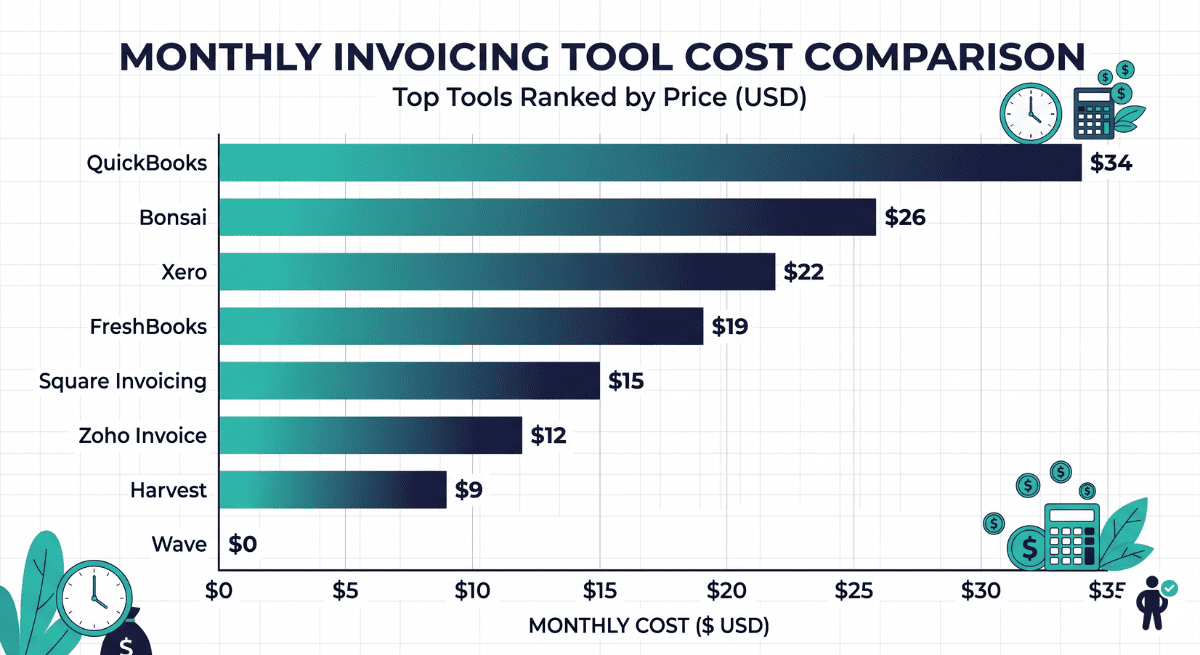
Pricing (May 2026): Lite plan at $19/month (5 billable clients), Plus at $33/month (50 clients), Premium at $60/month (unlimited clients). All plans include time tracking, proposals, and client portals. FreshBooks offers a 30-day free trial and frequent 60% off promotions for the first 3 months.
Best for: Consultants, web developers, copywriters, marketing freelancers — anyone who bills hourly or per-project and needs a professional client-facing experience.
2. Wave — Best Free Option for Budget-Conscious Freelancers
Wave has been the go-to free accounting and invoicing tool for nearly a decade — but in 2026, the “free” part comes with important caveats. Wave’s core invoicing and accounting features remain free (unlimited invoices, unlimited clients, basic bookkeeping, financial reports). However, Wave now gates payment processing behind a paid plan: the new Wave Pro tier ($16/month) is required for ACH payments, and card processing carries a 2.9% + $0.60 per transaction fee regardless of plan.
What you still get for free: Unlimited invoice creation and sending, basic double-entry accounting, bank connections for expense import, receipt scanning (limited), income and expense reports, and sales tax tracking. This is genuinely enough for a part-time freelancer who sends 3–8 invoices per month and doesn’t need online payment collection (i.e., clients pay via Zelle, Venmo, or direct deposit).
The catch: If you need clients to pay directly through the invoice (click-to-pay), you’ll hit Wave’s processing fees. For freelancers who invoice over $3,000/month, FreshBooks or Zoho Invoice may actually cost less in total when you factor in Wave’s per-transaction fees.
Pricing (May 2026): Free plan (invoicing + accounting, no payment processing), Starter $9.99/month (adds payment processing + bank feeds), Pro $16/month (receipt scanning + payroll access).
Best for: Part-time freelancers, side-hustlers billing under $2,000/month, and anyone who wants basic bookkeeping without paying a monthly subscription — as long as you don’t need click-to-pay invoicing.
3. Zoho Invoice — Best Value for Multi-Client Freelancers
Zoho Invoice is the quiet overachiever of this list. It offers professional invoicing, time tracking, expense management, recurring billing, and a client portal — all on a free plan for freelancers billing up to 5 clients. The paid Standard plan ($15/month for 50 clients) unlocks automation workflows, multi-currency invoicing, and advanced reporting that rivals FreshBooks at half the cost.
Standout features: Zoho Invoice supports automated payment reminders with escalating urgency, retainer invoicing (bill a monthly retainer and track hours against it), project-based billing with task-level time tracking, and native integration with Zoho Books if you ever need full accounting. The mobile app is excellent — you can create and send invoices entirely from your phone while standing in a client’s office.
Why it beats QuickBooks for freelancers: Zoho Invoice is built for invoicing-first workflows. There’s no chart of accounts to configure, no journal entries to worry about, and no settings maze to navigate. You sign up, add your logo, create a client, and send an invoice in under 3 minutes.
Pricing (May 2026): Free (up to 5 clients, 1 user), Standard $15/month (50 clients), Professional $30/month (unlimited clients + advanced automation).
Best for: Freelancers juggling 5–30 active clients who need polished invoicing, retainer management, and multi-currency support without enterprise pricing.
4. Hiveage — Best for Recurring Billing & Subscription Freelancers
Hiveage is built for one specific workflow: sending the same invoice to the same clients every month with zero friction. If you’re a freelancer on monthly retainer agreements — an SEO consultant billing $2,500/month to 4 clients, a virtual assistant billing $1,800/month to 3 clients — Hiveage automates the entire billing cycle. Set it once, and invoices go out on schedule, with automatic payment reminders and receipt generation.
Key features: Recurring invoices with flexible schedules (weekly, biweekly, monthly, quarterly, annual), estimates that convert to invoices with one click, team billing (track time by team member), expense tracking, and multi-currency support. Hiveage also offers a unique “billing periods” feature that lets you bill for specific date ranges — ideal for monthly retainers.
Pricing (May 2026): Free (2 clients, 5 invoices/month), Basic $16/month (unlimited clients, unlimited invoices), Premium $25/month (adds team time tracking + reports).
Best for: Freelancers on retainer agreements who bill the same clients monthly and want billing to run on autopilot.
5. Invoice Ninja — Best Open-Source & Self-Hosted Option
Invoice Ninja is the only tool on this list that you can self-host on your own server for free — giving you complete control over your data, branding, and client experience. The hosted version (cloud) is also available at competitive pricing, but the real appeal is for tech-savvy freelancers (developers, sysadmins, technical consultants) who want white-label invoices under their own domain with zero third-party branding.
What makes it different: Invoice Ninja is fully open-source (MIT license). You can modify the code, add custom fields, build integrations, and host it on a $5/month VPS. The client portal is white-labeled — clients see your brand, your domain, your colors. It supports 16+ payment gateways (Stripe, PayPal, Square, Braintree, Authorize.net, and more), recurring invoices, proposals, purchase orders, and a built-in kanban-style project manager.
Pricing (May 2026): Self-hosted: free forever (MIT license). Cloud-hosted: Free (up to 100 clients, Invoice Ninja branding), Pro $10/month (white-label, no branding), Enterprise $14/month (advanced permissions, multiple companies).
Best for: Developers, technical freelancers, and privacy-conscious professionals who want full control over their invoicing stack — or freelancers who simply want the cheapest no-branding option at $10/month.
6. Square Invoices — Best for Fast Payments & Low Setup Friction
If you already use Square for in-person payments (markets, pop-ups, client offices), Square Invoices is the natural extension: send a professional invoice from your phone in under 30 seconds, and the client pays via card or ACH with a single tap. There is no monthly fee — Square charges only when a client pays (2.9% + $0.30 for card, 1% for ACH with a $1 minimum).
Why freelancers love it: Zero learning curve. No software to configure. Open the Square app, tap “Create Invoice,” add the client and amount, send. The client gets a clean payment page that works on any device. Square also supports recurring invoices, milestone-based billing (deposit + final payment), and contract attachments — all from the free plan.
Limitations: Square Invoices is an invoicing tool, not an accounting system. There’s no expense tracking, no profit/loss reports, and no time tracking built in. If you need those features, pair Square with a separate tool (Wave for free accounting, Toggl for time tracking) or choose FreshBooks instead.
Pricing (May 2026): Free (unlimited invoices). Payment processing: 2.9% + $0.30 per card transaction, 1% per ACH ($1 minimum). Square Plus Invoicing: $20/month adds custom branding, multi-package estimates, and advanced scheduling.
Best for: Freelancers who want the fastest path from “work completed” to “money in bank” with zero monthly fees — especially those already in the Square ecosystem.
7. HoneyBook — Best for Creative Freelancers & Client Workflows
HoneyBook is not just an invoicing tool — it’s a complete client workflow platform that handles everything from the first inquiry to the final payment. For creative freelancers (photographers, event planners, graphic designers, videographers, coaches), HoneyBook replaces 4–5 separate tools: a CRM, a proposal builder, a contract/e-signature tool, a scheduling app, and an invoicing system.
The workflow: A potential client fills out your HoneyBook inquiry form → you send a branded proposal with pricing packages → they sign the contract (built into the proposal) → they pay the deposit automatically → HoneyBook schedules the project, sends reminders, and collects the final payment on the due date. The entire client lifecycle is managed in one place.
Why it beats QuickBooks for creatives: QuickBooks has no concept of a “proposal-to-invoice” pipeline. HoneyBook does — and it’s beautiful, mobile-friendly, and branded to your business. Clients see a seamless professional experience; you see a dashboard that tells you exactly where every project stands.
Pricing (May 2026): Starter $19/month (unlimited clients, basic features), Essentials $39/month (automation, scheduling, reports), Premium $79/month (priority support, multiple team members). All plans include unlimited invoices, contracts, and proposals.
Best for: Photographers, designers, event planners, coaches, and any creative freelancer who wants a single platform for proposals, contracts, invoicing, scheduling, and client communication.
8. AND.CO (Fiverr Workspace) — Best Lightweight Admin for Solo Freelancers
AND.CO was acquired by Fiverr and rebranded as Fiverr Workspace — but the core product remains the same: a lightweight, all-in-one freelancer admin tool that handles contracts, invoices, time tracking, expense tracking, task management, and basic reporting. It’s designed for solo freelancers who want to spend less than 15 minutes per week on business administration.
Standout features: Automated contract generation with e-signatures (legally binding), one-click invoicing from tracked time, expense categorization with receipt photo upload, integrated proposal builder, and a “business health” dashboard that shows revenue, outstanding invoices, and upcoming tasks at a glance. Fiverr Workspace also supports milestone payments — critical for project-based freelancers.
The Fiverr connection: If you get clients through Fiverr, the Workspace tool connects directly to your Fiverr earnings for consolidated reporting. But it works perfectly fine as a standalone tool for freelancers who have never used Fiverr.
Pricing (May 2026): Free plan (1 client, basic invoicing), Standard $18/month (unlimited clients, contracts, proposals, time tracking, expense tracking). Annual plan: $144/year ($12/month equivalent).
Best for: Solo freelancers who want minimal setup and a single tool covering contracts, invoicing, time tracking, and expenses — without the complexity of enterprise software.
Comparison Table: Freelancer Accounting & Invoicing Tools (2026)
| Tool | Monthly Price | Invoicing | Time Tracking | Recurring Billing | Client Portal | Tax / 1099 | Best Use Case |
|---|---|---|---|---|---|---|---|
| FreshBooks | $19–$60/mo | Excellent | Built-in timer | Yes | Full portal | 1099 + reports | All-around service freelancers |
| Wave | Free–$16/mo | Good | No | Yes | No | Basic P&L only | Budget-first, part-time freelancers |
| Zoho Invoice | Free–$30/mo | Excellent | Built-in timer | Yes | Client portal | Reports (connect Zoho Books) | Multi-client, value-conscious |
| Hiveage | Free–$25/mo | Good | Team time only (paid) | Excellent | No | No | Monthly retainer billing |
| Invoice Ninja | Free–$14/mo | Excellent | Built-in timer | Yes | White-label portal | Basic reports | Tech-savvy, self-hosted control |
| Square Invoices | Free | Good | No | Yes | No | No (pair with external) | Fastest payment collection |
| HoneyBook | $19–$79/mo | Good | No | Yes | Full workflow portal | Basic P&L | Creative client workflows |
| AND.CO / Fiverr Workspace | Free–$18/mo | Good | Built-in timer | Yes | No | Expense categorization | Minimal admin, solo freelancers |
What Freelancers Should Look For in Accounting Software
Choosing the right tool is less about brand and more about matching features to your specific workflow. Here is the freelancer bookkeeping checklist — prioritize the top two categories, and treat the rest as bonuses.
Invoicing and Payments
This is the non-negotiable core. Your tool must generate professional invoices in under 2 minutes, support one-click online payment (credit card + ACH at minimum), send automated late-payment reminders, and handle recurring invoices for retainer clients. International freelancers should also look for multi-currency support and PayPal or Wise integrations for cross-border payments.
Payment processing fees matter too. The industry standard is 2.9% + $0.30 for credit cards and 1% for ACH bank transfers. Some tools (Wave, Square) charge these on top of a free plan; others (FreshBooks, HoneyBook) bundle them into a monthly subscription. Calculate your average monthly invoice volume to see which model costs less for you specifically.
Time Tracking and Hourly Billing
If you bill by the hour — or track time internally to price projects accurately — a built-in timer that connects directly to invoices is a massive time-saver. FreshBooks, Zoho Invoice, Invoice Ninja, and Fiverr Workspace all include native timers. For tools without built-in tracking (Wave, Square, HoneyBook), you’ll need a separate app like Toggl ($0–$18/month) or Clockify (free).
The key efficiency gain: when your timer runs inside your invoicing tool, billable hours auto-populate invoices with zero manual entry. This eliminates the “time leak” problem where freelancers forget to bill 10–20% of their actual working hours.
Contracts, Proposals, and Client Portals
This is the biggest differentiator vs. QuickBooks. A proposal builder lets you present pricing options professionally (think: Good / Better / Best packages). A contract builder with e-signatures eliminates the need for DocuSign ($25/month separately). And a client portal gives clients a branded space to view invoices, approve estimates, upload files, and track project progress — which makes you look more professional than 90% of freelancers.
Tools with full proposal-to-payment workflows: FreshBooks, HoneyBook, Fiverr Workspace.
Tools with client portals: FreshBooks, Zoho Invoice, Invoice Ninja.
Tools with contracts/e-signatures: HoneyBook, Fiverr Workspace.
Expenses and Tax Prep
Most freelancers need light expense management: categorize business expenses, snap photos of receipts, and generate a year-end report for your accountant or tax software. You do not need a full ERP system with accounts payable, inventory costing, or departmental budgeting.
For 1099 tracking specifically: FreshBooks generates 1099 forms directly, Wave offers basic P&L reporting that your CPA can use, and Zoho Invoice connects to Zoho Books for complete tax reporting. If you use an external tax tool like Keeper Tax, any invoicing tool that exports income reports to CSV will integrate with your tax workflow.
Pricing Breakdown for 2026 (Monthly + Transaction Fees)
Price alone doesn’t determine value — but it’s the first filter most freelancers apply. Here’s the complete cost picture for each tool, including hidden fees that comparison sites often omit.
| Tool | Free Tier | Paid Plan | Card Processing | ACH Processing | Client Limit (Free) | Annual Discount |
|---|---|---|---|---|---|---|
| FreshBooks | 30-day trial only | $19–$60/mo | 2.9% + $0.30 | 1% ($1 min) | N/A | Up to 60% off first 3 months |
| Wave | Free (invoicing + accounting) | $9.99–$16/mo | 2.9% + $0.60 | 1% ($1 min, Pro only) | Unlimited | No discount |
| Zoho Invoice | Free (5 clients) | $15–$30/mo | Via Stripe/PayPal (their rates) | Via Stripe (0.8%) | 5 clients | 20% off annual |
| Hiveage | Free (2 clients) | $16–$25/mo | Via Stripe/PayPal | Via Stripe | 2 clients | ~17% off annual |
| Invoice Ninja | Free (self-hosted unlimited; cloud 100 clients) | $10–$14/mo | Via 16+ gateways | Via gateway | 100 (cloud) / Unlimited (self-host) | 10% off annual |
| Square Invoices | Free (unlimited invoices) | $20/mo (Plus) | 2.9% + $0.30 | 1% ($1 min) | Unlimited | N/A |
| HoneyBook | 7-day trial only | $19–$79/mo | 2.9% + $0.25 (Starter); 2.5% (Premium) | 1.5% | N/A | Up to 35% off annual |
| Fiverr Workspace | Free (1 client) | $18/mo ($12/mo annual) | Via Stripe | Via Stripe | 1 client | 33% off annual |
Which Alternative Is Best for Each Freelancer Type
The “best” tool depends entirely on how you work. Use this cheat sheet to skip the analysis and jump to your answer:
| Freelancer Type | Best Tool | Why |
|---|---|---|
| Hourly consultants / developers | FreshBooks | Best time-tracking-to-invoice pipeline, client portal, proposals |
| Part-time side-hustlers (<$2K/mo) | Wave (Free) | No monthly cost, basic accounting included, adequate invoicing |
| Multi-client freelancers (10+ clients) | Zoho Invoice | Best value at scale, automation workflows, retainer support |
| Monthly retainer billing | Hiveage | Purpose-built recurring billing, billing-period support |
| Tech-savvy / privacy-first freelancers | Invoice Ninja (self-hosted) | Open-source, white-label, your data on your server |
| In-person service providers | Square Invoices | Fastest payment collection, no monthly fee, Square ecosystem |
| Photographers / designers / creatives | HoneyBook | Proposal-to-payment workflow, contracts, scheduling, beautiful UX |
| Solo freelancers wanting minimal admin | Fiverr Workspace | Contracts + invoicing + time tracking in one lightweight tool |
How to Migrate from QuickBooks (Step-by-Step)
Switching invoicing tools sounds daunting, but for freelancers the actual migration takes 30–60 minutes. You’re not moving a 200-person company — you’re transferring a client list, some invoice templates, and expense history. Here’s the exact process:
Step 1: Export your client list. In QuickBooks Online, go to Sales → Customers → Export to Excel. This gives you a CSV with names, emails, addresses, and outstanding balances. Every tool on this list supports CSV client import.
Step 2: Export your invoices. Go to Reports → Transaction List by Date → filter to Invoices → Export to Excel. This creates your invoice history for reference. Most freelancers don’t need to import old invoices into the new tool — just keep the CSV as an archive.
Step 3: Export your expenses. Run a Profit & Loss Detail report filtered to the current tax year, export to Excel. Upload this to your new tool’s expense tracking feature, or simply hand it to your accountant at tax time.
Step 4: Recreate recurring invoice templates. If you have monthly retainers, set up recurring invoices in your new tool before canceling QuickBooks. Most tools let you replicate a recurring template in under 3 minutes per client.
Step 5: Cancel QuickBooks after one overlap month. Run both tools in parallel for one billing cycle to make sure nothing was missed. Once confirmed, cancel QuickBooks and save $35–$90/month going forward.
Frequently Asked Questions
Wave for full free invoicing + accounting (if you don’t need click-to-pay), or Square Invoices for free unlimited invoicing with built-in payment collection (you pay only transaction fees). If you’re a developer, Invoice Ninja self-hosted is completely free with no limitations and no branding.
For the majority of solo freelancers, yes. FreshBooks is purpose-built for client-facing service work: faster invoicing, built-in time tracking, proposals with e-signatures, and a client portal — all features that QuickBooks either lacks or charges extra for. QuickBooks is better only if you need full double-entry accounting with inventory management, which most freelancers do not.
Yes, with caveats. Wave’s free plan covers invoicing and basic bookkeeping beautifully. However, Wave does not include time tracking, client portals, or proposals. And since Wave gated payment processing behind a paid plan ($9.99+/month), the cost advantage narrows if you need clients to pay online through invoices. For freelancers billing under $2,000/month who collect payments via Zelle or direct deposit, Wave is a complete QuickBooks replacement at $0/month.
Square Invoices is the easiest to set up (under 2 minutes to first invoice). Fiverr Workspace is the easiest all-in-one admin tool (contracts + invoicing + time tracking with minimal configuration). FreshBooks is the easiest full-featured tool — it has more capabilities than Square or Fiverr Workspace but remains intuitive enough that non-technical freelancers can master it in a single afternoon.
Most freelancers need invoicing + expense tracking + basic profit reporting. That’s it. Full accounting software (double-entry bookkeeping, chart of accounts, balance sheets, journal entries) is designed for businesses with employees, inventory, and complex tax structures. Unless your CPA specifically asks you to maintain a general ledger, a focused invoicing tool will serve you better and cost less than full accounting software like QuickBooks.
Yes. Invoice Ninja (self-hosted) is free forever with no subscription — you only pay for hosting ($5–$10/month VPS). Wave is free for invoicing and accounting with no time limit. Square Invoices is free with no monthly fee (pay-per-transaction only). For one-time-purchase options, FreeAgent occasionally offers lifetime deals through AppSumo, though availability varies.
Final Recommendation

After testing all 8 tools against real freelance workflows, here are our clear recommendations:
The common thread: none of these tools force you into double-entry accounting, none cost $35–$90/month, and all of them generate professional invoices in under 2 minutes. QuickBooks is a powerful tool — for the businesses it was designed for. If you’re a solo freelancer, you deserve software built for how you actually work.
Start with a free trial of the tool that matches your workflow, migrate your client list in 30 minutes, and reclaim both the money and the time you were spending on overcomplicated accounting software.